
The account stage is part of compatibility
A Tradovate-backed evaluation may use a simulated account with firm-specific permissions. A later funded or performance stage can have different rules. The platform name alone does not answer whether your account permits this automation method.
Identify the exact firm, account type and stage, then ask about TradingView alerts routed through the intended third-party Tradovate connection. Manual order access in TradingView does not establish permission for API or login-based automation.
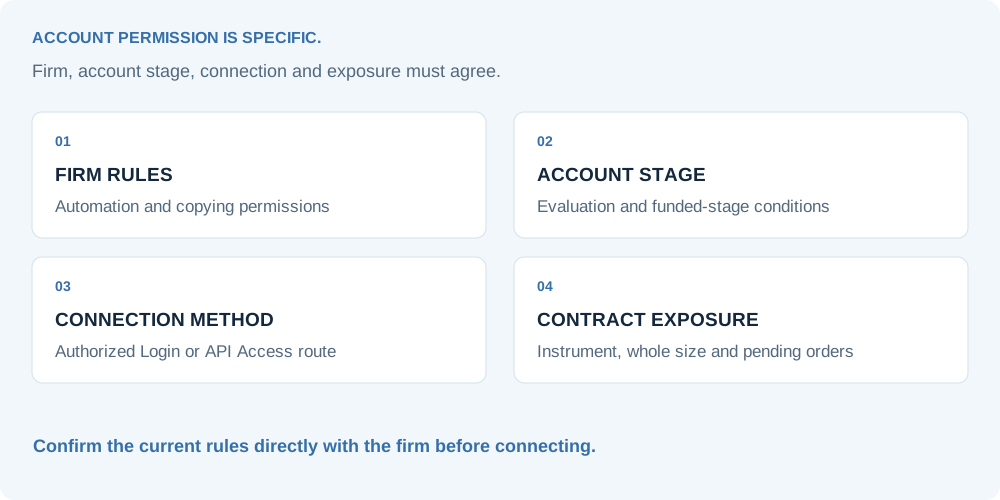
Get an answer about the method, not a general promise
Use the firm’s current rules and support channel. A forum comment saying a route worked for someone else is evidence of their experience, not approval for your account.
QUESTIONS TO TAKE TO THE FIRM
- Does this account and stage permit automated execution from TradingView alerts through this third-party route?
- Is the intended Tradovate Login or API Access connection authorized for this account?
- Are third-party services and trade-copying workflows permitted?
- What is the maximum standard or micro contract exposure, including pending orders?
- Which instruments, sessions, news periods and holding times are restricted?
- How are daily loss and trailing drawdown calculated, including open profit and loss?
- Do the funded stage or payout rules change any of these permissions?
Keep the answer attached to your own account setup. T2T does not maintain an approval list or promise support for every prop firm.
API access and successful login are different checks
Tradovate documents retail API-key requirements separately from regular account access. That retail path requires eligibility and an API Access add-on. A simulated firm account does not automatically qualify merely because its login works on the Tradovate platform.
The connection offers separate Login and API Access methods. Ask which is authorized for your account and verify its permissions. A different form cannot grant a permission that the firm prohibits.
Read Tradovate’s retail API access requirements and the execution connection guide before committing to a setup.
Translate the trading plan into the firm’s limits
Contract limits must be checked against the size that actually reaches the account. A route multiplier, another open instrument or a pending entry can make the final exposure different from the single JSON message you were inspecting.
Drawdown rules also need the firm’s exact definition. A balance-based daily limit and an intraday trailing threshold can react differently to the same price path. The connector executes instructions; it does not certify that your strategy’s simulated result complies with the firm’s measurement.
| Rule area | Configuration to review | Evidence to check |
|---|---|---|
| Contract exposure | Instrument type, quantity, route multiplier and pending entries | Actual account positions and working order quantities |
| Trading session | Alert times, market sessions and required flattening times | The firm’s timezone and current account-stage rules |
| Drawdown | Daily loss, trailing threshold and open P&L treatment | The firm’s dashboard and published calculation |
| Exit behavior | Stop/target ownership and partial-exit allocation | Accepted protective orders and post-exit exposure |
| Trade copying | Additional routes, account ownership and copying permission | Explicit approval for the intended account combination |
Do not use a backtest’s end-of-day balance as a substitute for the firm’s intraday rule. Check the rule at the layer where the firm enforces it.
Test only after the route is permitted
Once the firm has confirmed eligibility, choose an allowed test environment and minimum permitted whole-contract size. Verify the account identifier, contract, entry, close and requested protection. A test is an execution request, so confirm where it goes before pressing Send.
After any failed or unclear entry response, read the account before repeating the instruction. After a target or stop event, check the remaining contracts and working orders. These checks matter most when a single excess contract or unwanted re-entry can breach an account rule.